2 posts tagged with "load-balancer"

View All Tags

· 3 min read

Introduction

When running Istio on Kubernetes (especially on AWS EKS), a common question is:

Should I put an Application Load Balancer (ALB) or a Network Load Balancer (NLB) in front of Istio?
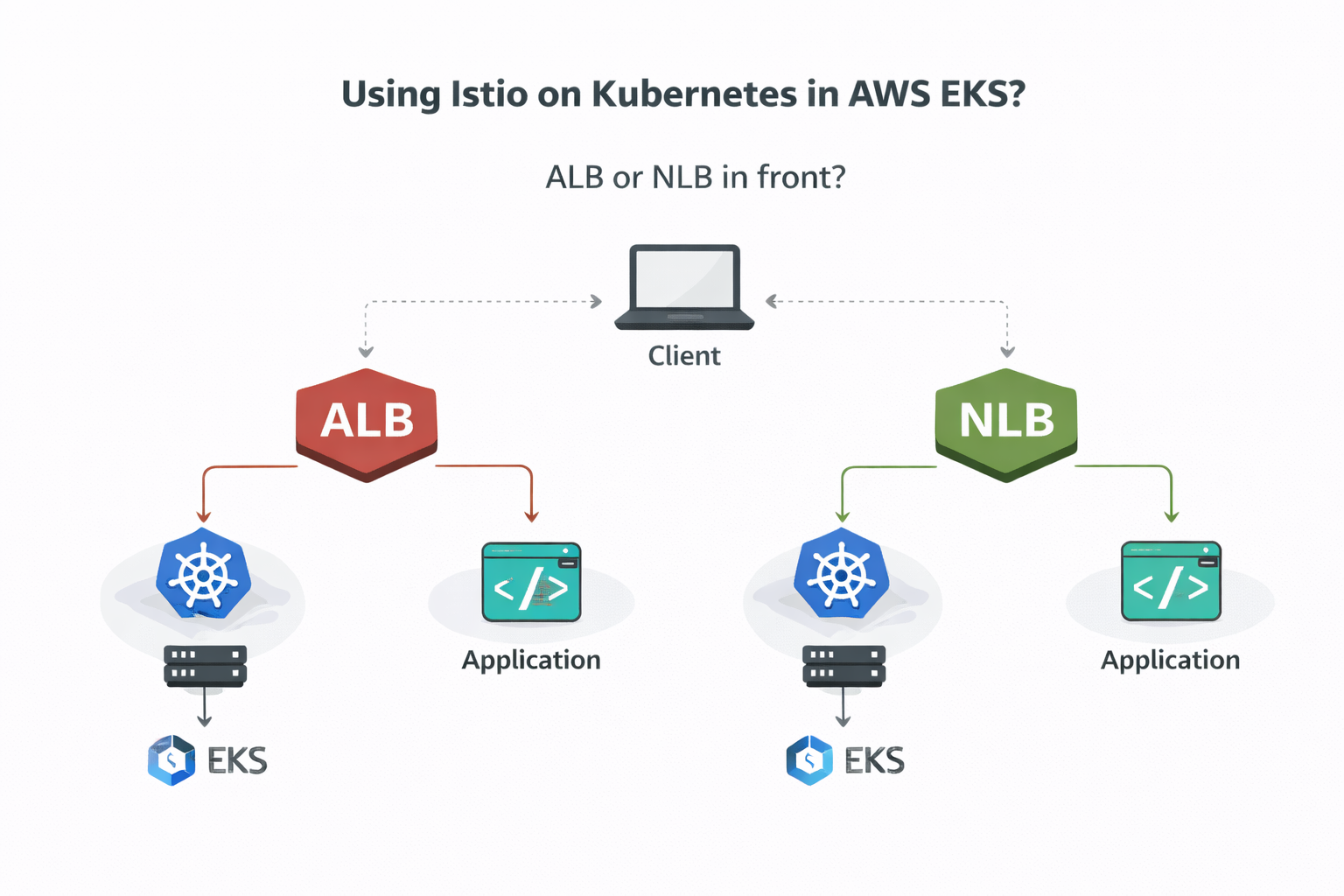
Istio on Kubernetes with load balancers

At first glance, both seem to work. Traffic reaches the cluster and the application responds.
But once you understand Layer 4 vs Layer 7 and how a service mesh is designed, the right choice becomes clear.

This post explains why NLB fits Istio better than ALB and how using ALB can lead to a double L7 anti-pattern.


L4 vs L7 (Only What Matters)

Layer 4 (Transport Layer)

Layer 4 is about connections, not requests.

It understands:

  • TCP / UDP
  • IP addresses and ports

It does not understand:

  • HTTP paths
  • Headers
  • Hostnames

Example:

Connect to 10.0.1.5:443

➡️ AWS NLB works at Layer 4


Layer 7 (Application Layer)

Layer 7 understands what the request means.

It understands:

  • HTTP / HTTPS / gRPC
  • Paths like /api/orders
  • Hosts like app.example.com
  • Headers, retries, timeouts

Example:

GET /api/orders

➡️ Istio (Envoy) works at Layer 7
➡️ AWS ALB also works at Layer 7


What Istio Expects

Istio is a service mesh, not just a proxy.

It controls:

  • Routing
  • Traffic splitting
  • Retries and timeouts
  • mTLS and security policies
  • Observability

All of this requires Layer 7 context.

So the key idea is:

Istio expects to be the single Layer 7 decision-maker.


ALB + Istio: The Double L7 Trap

Client

ALB (L7)

Istio Envoy (L7)

Application

Here’s the problem:

  • ALB inspects and routes HTTP
  • Istio inspects and routes HTTP again
  • Routing logic is split across two systems
  • Health checks often conflict
  • TLS is usually terminated before Istio

This creates unnecessary complexity and confusion.


NLB + Istio: Clean Separation

Client

NLB (L4)

Istio Envoy (L7)

Application

With this setup:

  • NLB only forwards TCP traffic
  • Istio handles all HTTP logic
  • No overlapping responsibilities
  • Cleaner security and observability
  • Fewer edge-case failures

This is the service-mesh-native design.
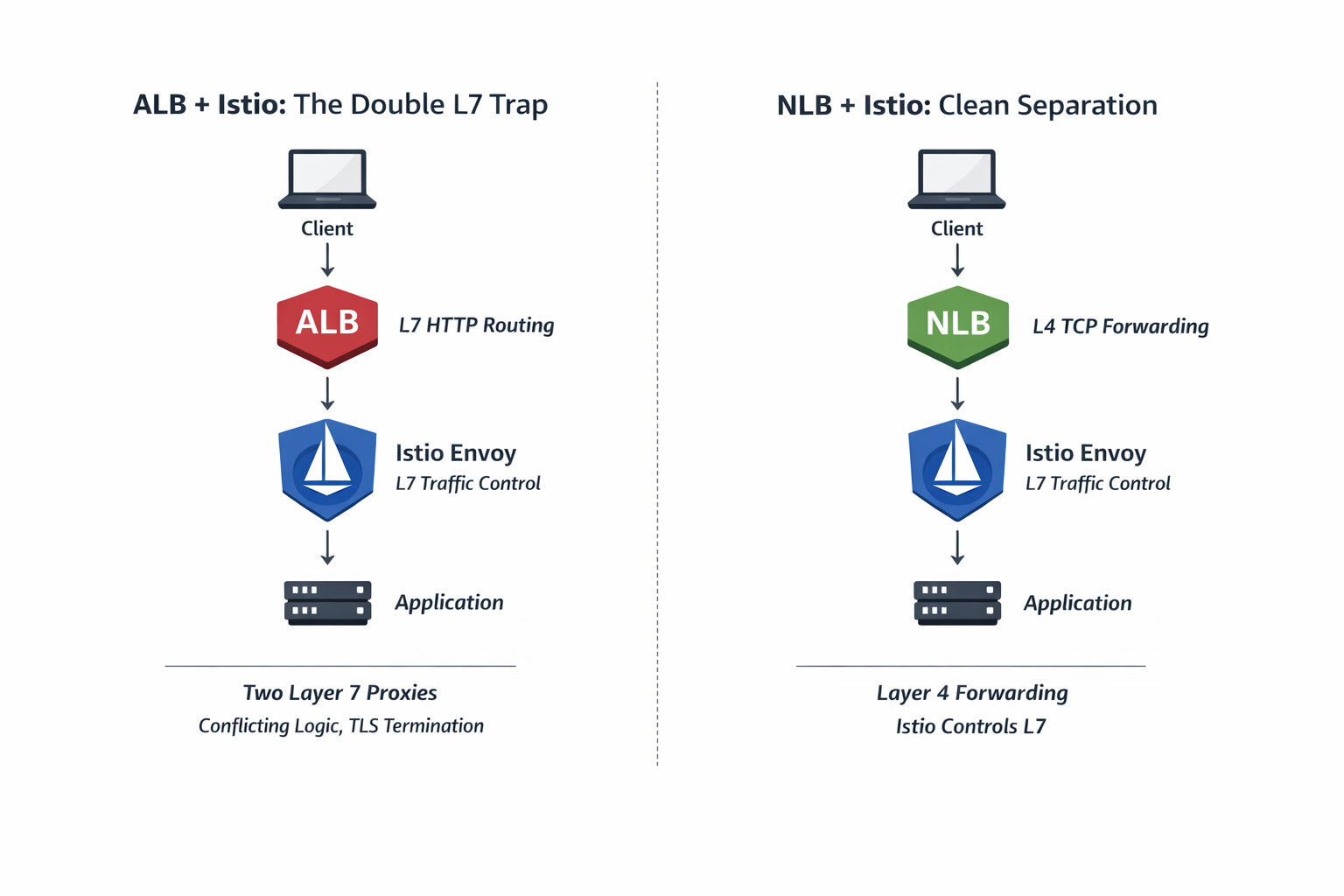
ALB vs NLB with Istio — Avoiding the Double L7 Trap

Left: ALB + Istio introduces two Layer-7 decision points (the Double L7 Trap).
Right: NLB forwards at Layer-4 while Istio remains the single Layer-7 authority.


Simple Analogy
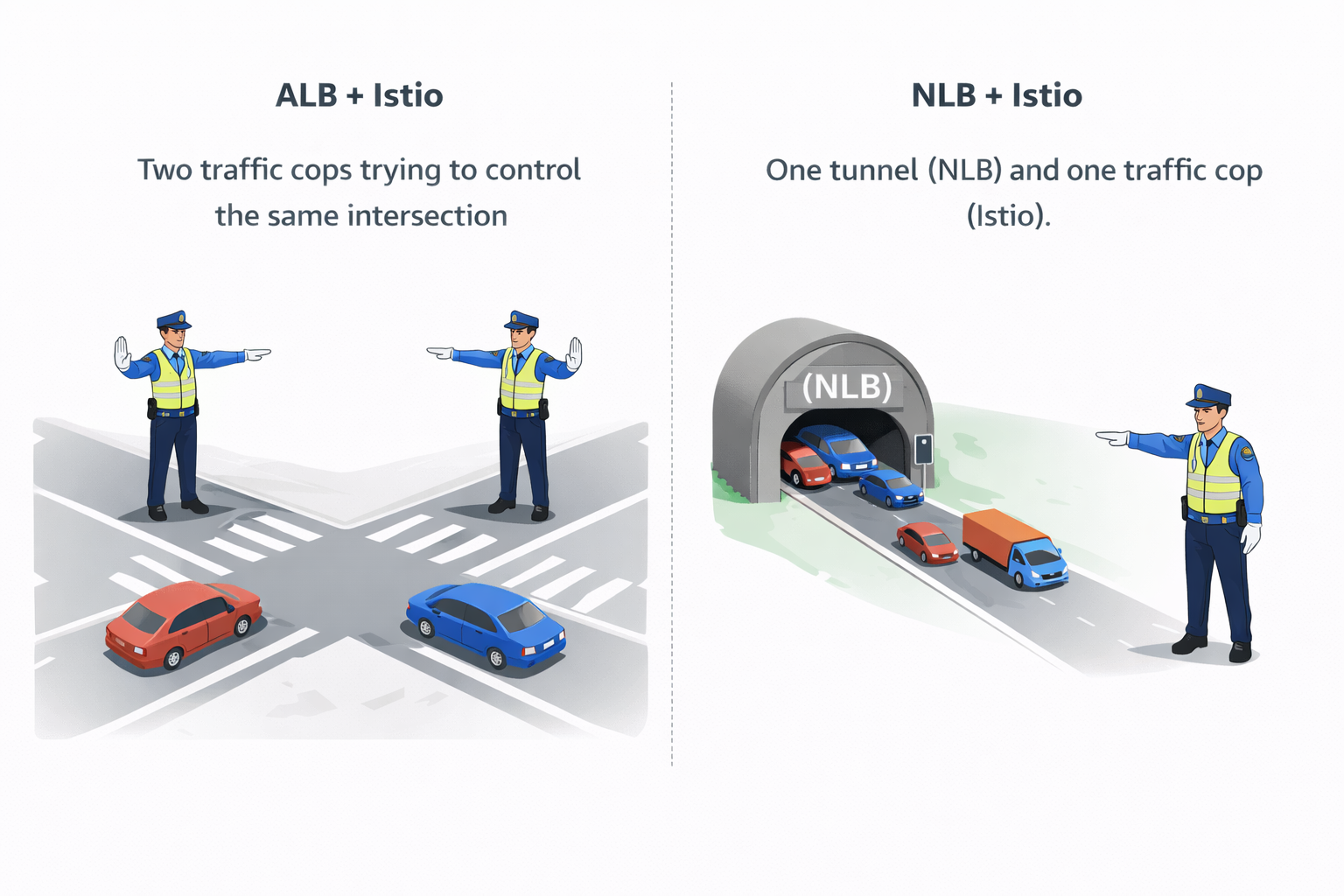
ALB vs NLB network analogy

ALB + Istio

Two traffic cops trying to control the same intersection.

NLB + Istio

One tunnel (NLB) and one traffic cop (Istio).


When ALB Can Still Make Sense

ALB is fine if:

  • You are not using Istio for ingress routing
  • You want AWS-managed L7 routing at the edge
  • Istio is used only for internal service-to-service traffic

But if Istio manages ingress traffic, ALB becomes redundant.


Final Recommendation
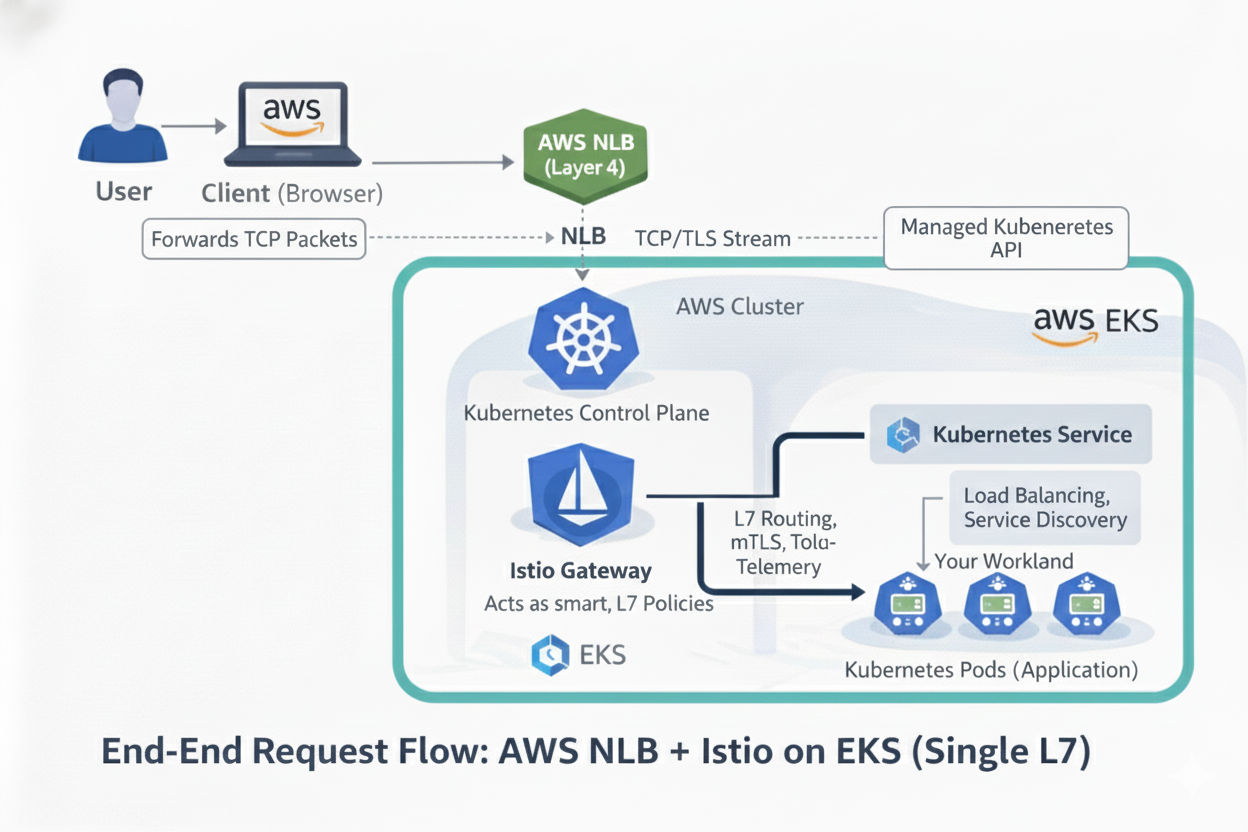
End-End Request Flow

For Istio on EKS:

  • ✅ Use NLB (Layer 4)
  • ✅ Let Istio control Layer 7
  • ❌ Avoid ALB + Istio ingress

Key Takeaway

A service mesh needs one Layer 7 brain.
Everything before it should stay simple and dumb.

That’s why NLB works best with Istio.
· 5 min read

Introduction

We're WeDAA, short for Well Defined Application Architecture—a platform that empowers developers and architects to visually prototype software architectures on a canvas. Whether you're building enterprise applications, startup MVPs, or incubating new ideas, WeDAA helps you bootstrap non-functional requirements like APIs, microservices, and infrastructure in minutes instead of days.

Everything was going smoothly—until we hit a hard limit. Our hosting provider, Hetzner, imposed a frustrating restriction: their load balancers only allow five service mappings. For a platform like ours that depends on running dozens of services, this was a serious roadblock.

Spoiler alert: Kong API Gateway came to our rescue. Here’s how we turned a rigid infrastructure limitation into a streamlined, scalable solution.

WeDAA GATEWAY

The Backstory: What’s WeDAA Anyway?

A Visual Platform for Modern Architecture

WeDAA is like a LEGO set for software architecture—developers can visually design, connect, and deploy microservices without the heavy lifting of backend setup. It handles the non-functional groundwork so you can focus on building features.

Our Cloud of Choice: Hetzner

Hetzner

When we launched, we chose Hetzner for hosting. It’s fast, reliable, and super budget-friendly—which is a big deal when you're bootstrapping or scaling quickly.

Why Hetzner? Cost vs Features

For the price, Hetzner rocks. But not everything that glitters is gold. While compute and storage were amazing, their load balancer offering had… well, “quirks.”

Enter the Challenge: Microservices Meet Their Limit

WeDAA’s Need for Scalability

As a microservices platform, WeDAA doesn’t run one or two services—we run dozens, sometimes more. Each service typically needs to be exposed externally or internally in a managed way.

Load Balancers and Path-Based Routing: What’s the Deal?

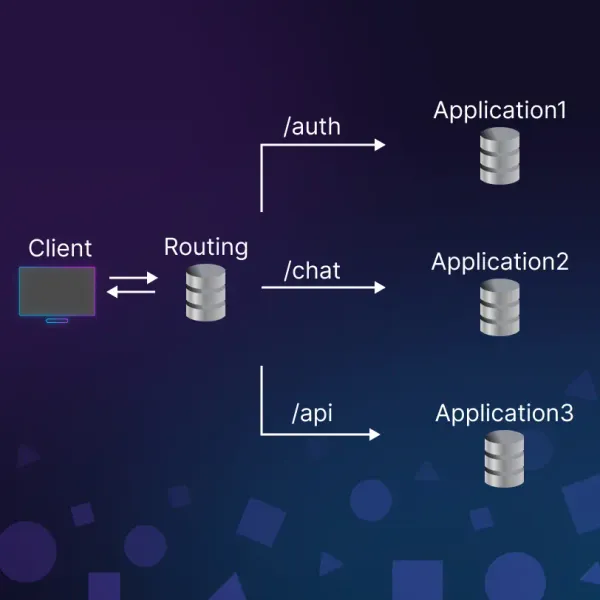
Normally, you’d use a path-based routing strategy.

Path-based routing strategy

Like this:

  • /auth → Authentication Service

  • /billing → Billing Service

  • /notifications → Notification Service

Simple, clean, and only one public-facing endpoint required.

Hetzner’s Load Balancer Limitation

But here’s where it broke down: Hetzner’s load balancers don’t support path-based routing. Oof.

Only 5 Port Mappings? Seriously? Instead, you have to map services by port. So if your LB is lb11, you can only do stuff like:

  • Port 8080 → Auth

  • Port 8081 → Billing

  • Port 8082 → Notifications

...and so on—but only 5 of these mappings allowed.

Load Balancer Bottleneck: Our Initial Struggle

Trying to Squeeze Multiple Services Behind One LB

You can see where this is going. We had way more than 5 services.

Options We Considered

We brainstormed all possible hacks:

  • Buy a bigger load balancer (was an option—but the cost jumped fast)

  • Spin up more LBs (costly and messy)

  • Use a reverse proxy manually (yikes—complex maintenance)

All Roads Led to Cost & Complexity

Every workaround added either cost, technical debt, or overhead. We needed something smarter—a gateway between our load balancer and services.

Discovering a Smarter Way: Say Hello to Kong API Gateway

Kong API Gateway

What is Kong API Gateway, Anyway?

Kong Gateway is a lightweight, fast, and flexible cloud-native API gateway. Kong Gateway sits in front of your service applications, dynamically controlling, analyzing, and routing requests and responses. Kong Gateway implements your API traffic policies by using a flexible, low-code, plugin-based approach.

It's like a digital traffic cop that decides where to send API requests based on path, headers, method—you name it.

How Kong Helped Us Bypass LB Limitations

With Kong sitting behind the load balancer, we only needed to expose one service—Kong itself. Then Kong handled internal routing to all our microservices based on the URL path.

One Service, Multiple Paths

Boom. Now instead of mapping 5 different ports on the LB, we had:

  • lb11:443 → Kong

    • /auth → Auth Service
    • /billing → Billing Service
    • /notifications → Notification Service
    • /anything → Any Service We Wanted

Internal Routing Made Simple

All services were registered with Kong. We configured routing rules, and it took care of the rest. No extra LBs. No extra cost.

A Real-World Architecture Shift

Before Kong: Chaos

Dozens of services, all needing public access, but limited to 5. It was like trying to stuff an elephant into a mini-fridge.

After Kong: Clarity

Now it’s:

Hetzner LB → Kong → All internal microservices

[Internet] → [Hetzner LB] → [Kong API Gateway] → [Service A, B, C...Z]

Clean, scalable, and way easier to manage.

Would We Do It Again? 100% Yes

Hetzner

Scalability Without Extra Costs

  • We’re saving $$$ by not buying extra load balancers.

Future-Proofing the Platform

  • Need to add 10 more services? 50? No problem—Kong’s got it.

Faster Deployments

  • New service? Register with Kong, deploy, and done. No port juggling.

Wrapping Up: Kong API Gateway – Game-Changer in Our Stack

If you're running multiple services and your cloud provider’s load balancer has limitations, Kong can help. It did the job for us—quickly and without adding complexity.

What started as a problem with too many services turned into a simple solution. Now, Kong is a key part of our setup—and we’re not looking back.

👉 In our next blog, we’ll show you how to configure Kong API Gateway and use it in your microservices architecture step by step—stay tuned!